Welcome to robodraw’s documentation!



robodraw is an ergonomic and programmatic drawing library for
python. It is a wrapper around matplotlib that provides a more intuitive way
to specifically create drawings and diagrams, including in pseudo-3d. It
provides the backend for the drawing functionality in
quimb and
cotengra.
User Guide
Examples
The following examples are generated from the notebooks in docs/examples:
Notes
Development
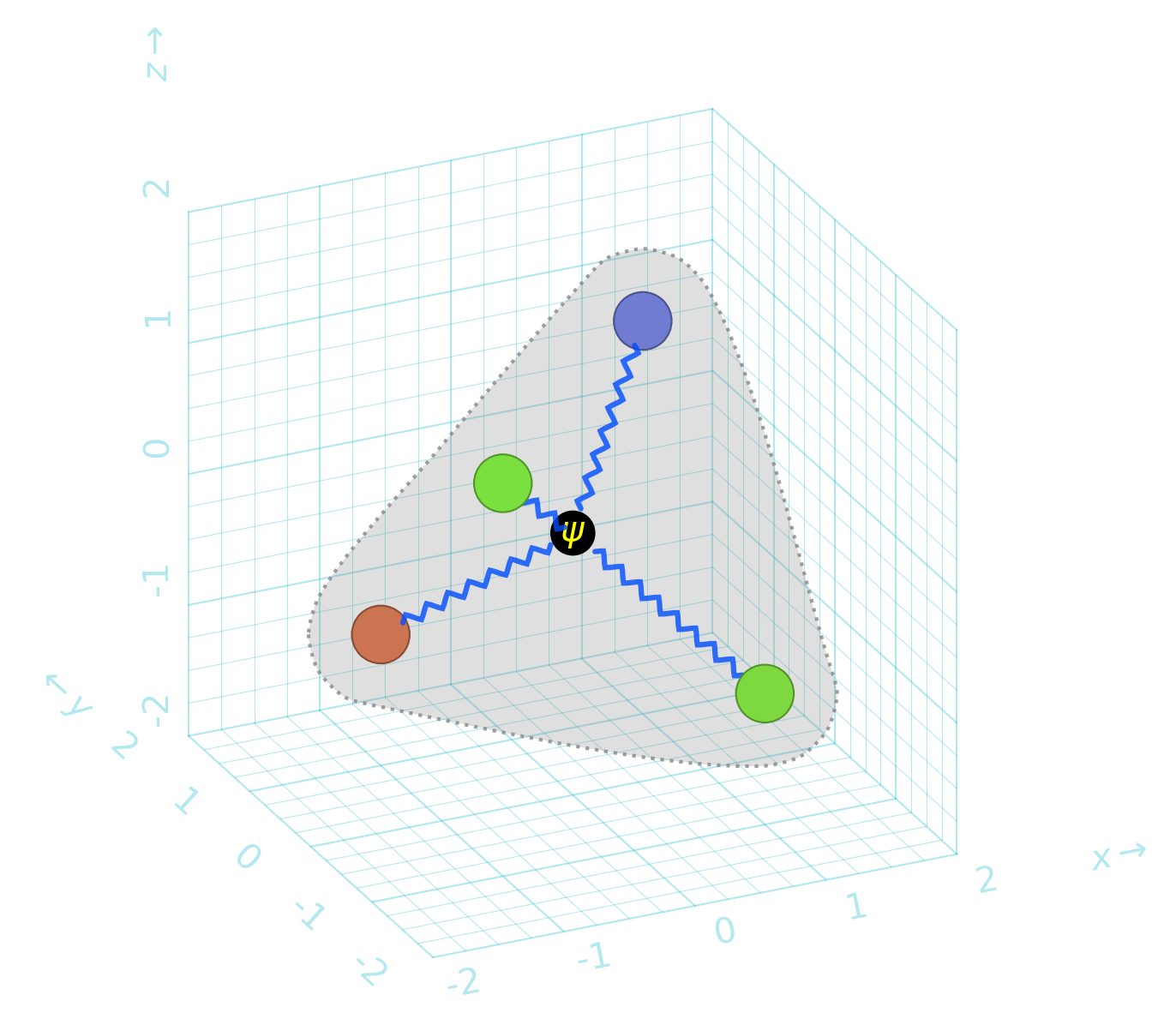
Quick example
import robodraw

d = robodraw.Drawing(
    presets={
        "node": {"radius": 0.2, "linewidth": 0.5},
        "edge": {"color": (0, 0.3, 1, .8), "width": 0.04, "shorten": 0.2}
    },
    projection=(25, 25),
)

center = (0, 0, 0)
corners = [(1, 1, 1), (1, -1, -1), (-1, 1, -1), (-1, -1, 1)]

# nodes
for c in corners:
    color = robodraw.hash_to_color(str(c))
    d.circle(c, preset='node', color=color)

# center
d.circle(center, preset='node', radius=0.15, color="black")
d.text(center, "$\\psi$", color="yellow")

# edges to center
for c in corners:
    d.zigzag(c, center, preset="edge")

d.patch_around(corners, radius=0.5)
d.grid3d()